
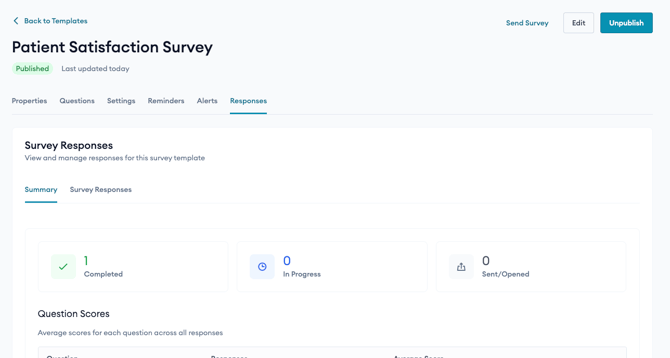
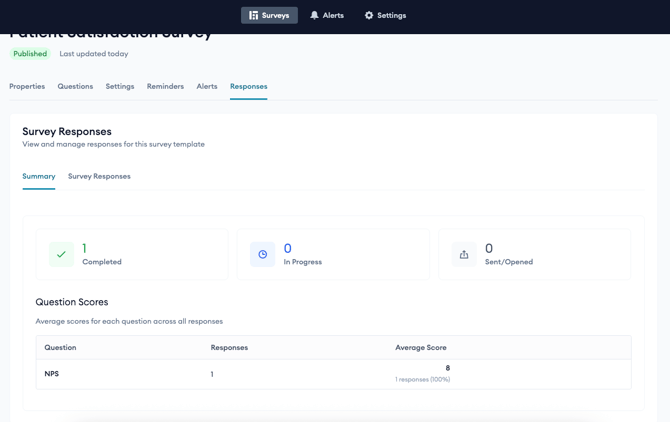
The Responses tab shows results for a survey template. It has two sub-tabs: Summary and Survey Responses.
Summary sub-tab
- Counts of responses by stage: Completed, In Progress, and Sent/Opened.
- Question Scores: the average score for each question across all responses.
Survey Responses sub-tab
- A table of individual responses showing Respondent, Date Sent, Last Opened, Status (for example, Pending), and Composite Score.
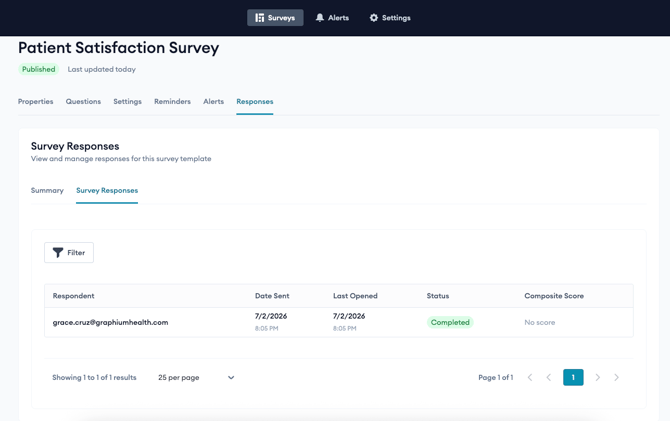
- Click any row to open that response’s detail page.
- Use the Filter button to narrow results. You can filter by Response Status, by Email or Phone (with conditions), and by each question’s response value (for example, NPS within a range).
- Respondent Information: emails, phone numbers, date sent, last viewed, and status.
- Composite Score: an overall score for the response, with a rating label, calculated across the survey’s scored questions.
- Questions & Responses: each question with the respondent’s answer and a per-question response score.